

A redesign cannot be judged on the day it goes online.
It is judged by the signals that it finally makes legible.
1. Key figures
2. Introduction
Launching a new site can give a misleading impression. The site is clearer, the pages are more beautiful, the forms seem to work, the steering committee is breathing. Then the questions arise: why is organic traffic declining? Do leads really come from new pages? Do old landing pages redirect correctly? Do GA4 conversions match CRM? Does the cookie headband cut off part of the measurement? Does the decline come from SEO, from tracking or from commercial reality?
The verdict is simple: without reliable measurement, the redesign turns into a conversation of opinions.
We do not defend a culture of decorative dashboards. We defend a useful, narrow, decision-oriented measure. After going live, GA4 should help distinguish three things: what actually changed in user behavior, what was broken by the migration, and what was already invisible before the project.
We do not manage this type of project with a single conversion rate. We manage it with a body of evidence: traffic, entry pages, events, forms, consent, redirections, CRM, Search Console, data quality.
3. Symptoms: when GA4 no longer answers the correct questions
A measuring device fragile can be recognized by very concrete symptoms. Events have different names on different pages. Forms send multiple conversions. Organic traffic is dropping in GA4, but Search Console doesn't tell the same story. UTMs disappear after redirection. Consent is accepted, but the tags remain blocked. The 404 pages still receive visits. Salespeople say they receive fewer leads, while the dashboard displays reassuring stability.
Everything seems measured. Nothing is really governed.
A migration amplifies these defects because it changes several layers at the same time: URLs, templates, forms, components, scripts, CMP, tagging plan, landing pages, tunnels, CRM, sometimes even domain name or CMS. If the team does not separate the causes, it misinterprets the effects. A setback can come from a tracking error, a SEO loss, a consent problem, a broken form or a simple change in seasonality.
Data is only useful if it resists the following question: what do we decide now?
4. Actors: GA4, Search Console, GTM, CNIL, CRM, BigQuery, business team
Serious post-redesign management must name the actors. Otherwise, GA4 alone bears a responsibility that he cannot assume.
GA4 measures post-click. The Search Console tool observes the pre-click. The CRM says if the lead was worth anything. The CMP explains part of what is missing. No single tool holds the truth.
Piloting begins when these readings respond to each other.
5. Definition: what is post-redesign GA4 control
GA4 post-redesign monitoring is a measurement system which checks, after going online, the continuity of traffic, the reliability of events, the quality of conversions, compliance with consent, consistency with Search Console and the team's ability to decide based on traceable data.
This definition matters. It goes beyond just "watching GA4". It requires comparing before/after, isolating critical pages, controlling business conversions and documenting differences between tools.
GA4 is not the final dashboard. One piece of the evidence file remains.
6. Why this is becoming a priority in 2026
Google Analytics 4 has shifted the measurement culture to the event. This logic is powerful, but it requires discipline in naming, parameters, key events and validation. Google points out that some events are collected automatically, while recommended events require configuration effort to measure more behaviors and produce more useful reports.
The conservation constraint adds another dimension. In standard GA4, user-level retention is set to 2 or 14 months. In other words, if the team wants to compare a redesign project with a long cycle, it must anticipate, export, document or supplement with other sources. BigQuery is then used to keep raw events, query them in SQL and reconcile them with the CRM.
The legal framework does not disappear because the project is marketing. The CNIL points out that audience measurement trackers generally require information, consent and the possibility of refusal, unless there are specific exemption conditions. Google consent mode does not provide a consent banner; it transmits the choices received by your banner and adapts the behavior of the tags.
A launch therefore concentrates three requirements: measure better, respect better, decide faster.
7. SEO, analytics and consent: three readings to reconcile
After a change of site, teams often look for "the number". This temptation is dangerous. GA4 may show fewer sessions while Search Console retains clicks. The SEO tool may show a drop in impressions while conversions remain stable. The CRM may confirm a loss of qualified leads while GA4 forms appear to be progressing.
These deviations are not anomalies by default. Google explains that Search Console and Analytics use different metrics and systems; Clicks from Google Search and sessions GA4 do not match exactly. Best practice is to compare consistent trends, pages, devices, and time periods.
Consent adds a layer. In basic mode, Google tags wait for interaction with the banner. In advanced mode, tags load with default denied states and can send signals without cookies when consent is denied. This choice has measurement, compliance and interpretation impacts.
No pure data. No single truth. You need a croized reading.
8. Recommended method: 9 measuring blocks after redesign
The method recommended below is not a proprietary method Logiks. It is based on Google Analytics, Search Console, Tag Manager, consent, technical SEO best practices and marketing management.
We move forward as in the control room: few screens, useful alarms, clear responsibilities. The beauty of the cockpit does not make the plane fly.
8.1. Define the reference scenario before going live
Before going live, export essential metrics: sessions by channel, organic clicks, impressions, landing pages, conversions, form rates, CRM leads, 404 pages, top queries, devices, countries and campaigns. The scope must cover at least the strategic pages: home, offers, pillar articles, paid landing pages, local pages, forms.
Without reference, the post-redesign floats. With a clear basis, we know how to distinguish a real loss from a change in measurement.
8.2. Check the collection GA4 on the day it goes online
On the first day, the goal is not to interpret a trend. It is necessary to verify that the collection exists: page views, automatic events, scroll, outgoing clicks if measured, forms, downloads, key events, internal traffic excluded, consent, UTM, domains croized if necessary.
We also check the essential parameters: page_location, page_referrer, page_title, source, medium, campaign, device, landing page. A new interface can break a measure without breaking the visible interface.
The first question is not "is this progress?"
The first question is "are we still measuring correctly?"
8.3. Separate automatic, recommended and business events
Google collects certain events automatically with the Google tag. Recommended events allow you to measure more behaviors, but require configuration. Business events remain specific to your activity: quote request, appointment making, white paper download, click on number, brief sending, account creation, demo request.
After the change of site, we classify the events into three families: technical base, GA4 recommendations, business actions. This separation avoids transforming each click into a conversion.
A conversion must signal intent. Not just an interaction.
8.4. Check forms and key events
Forms often concentrate value. We test each variant: contact, quote, recruitment, newsletter, download, service page, pop-in, third-party embed. We check the triggering of the event, the original page, the success message, CRM transmission, deduplication, consent and the possible presence of spam.
In GA4, key events must remain rare and defensible. Too many key events cloud the decision. Too little makes the analysis blind.
The form is not a technical purpose. It’s the junction between attention and turnover.
8.5. Croiser GA4 and Search Console
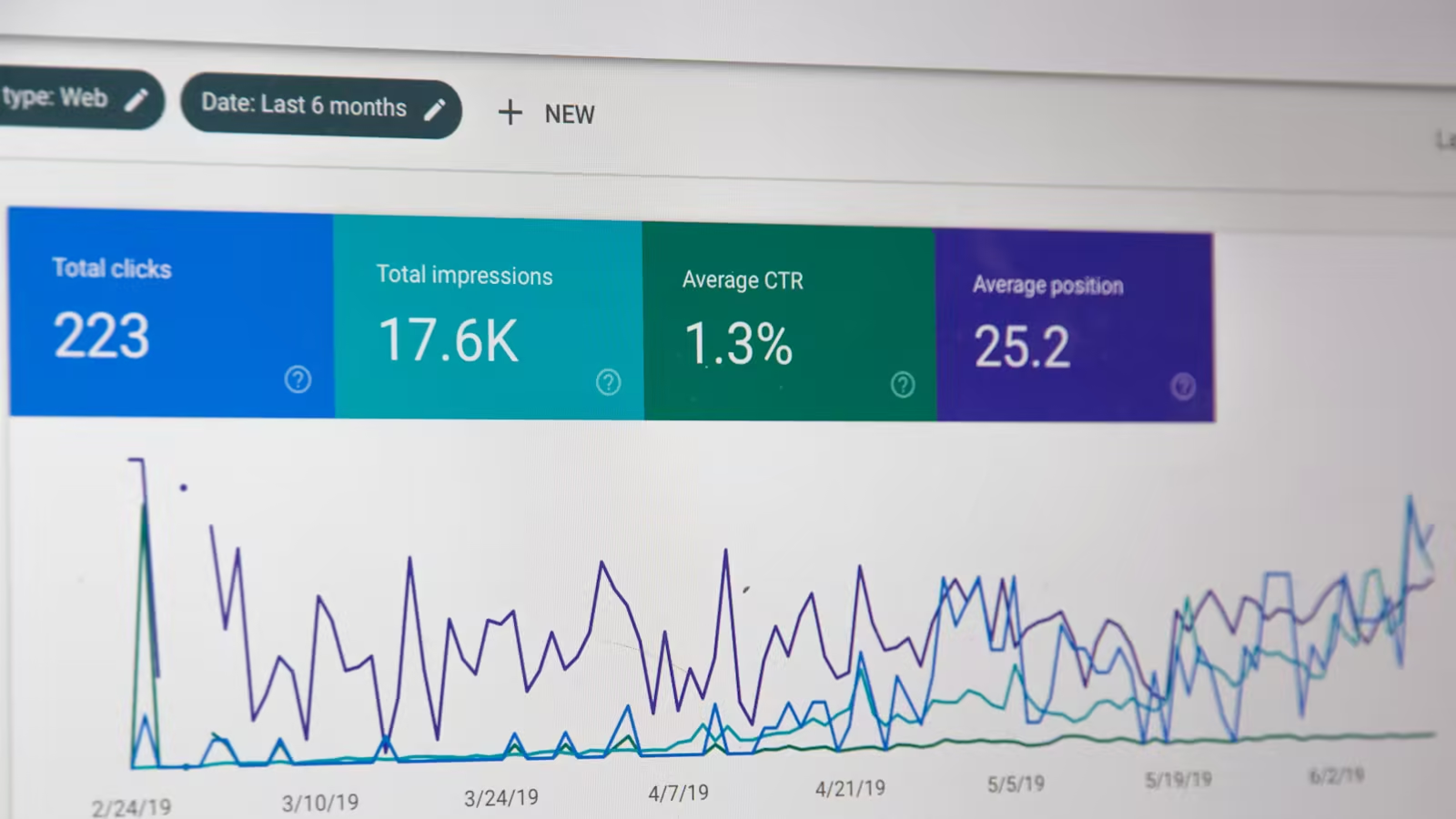
The Performance report shows average clicks, impressions, CTRs and positions by query, page, country, device, search type and time period. GA4 then describes what the user does after arrival. The two tools tell two different moments of the same journey.
After a migration, we track at least: organic clicks, impressions, branded queries, non-branded queries, entry pages SEO, mobile device, main countries, redirected pages, pages absent from top traffic.
If the SEO data drops with GA4, the visibility risk is plausible. If Search Console remains stable but GA4 changes, tracking or consent becomes suspect.
8.6. Audit consent, CMP and Tag Manager
The site often modifies the cookies banner, the template, the GTM or the loading order. Google reminds that consent mode must receive the banner choices and adapt the tags; it does not replace the banner. Tag Manager also offers an overview of consent settings to identify unconfigured tags.
We therefore test several scenarios: refusal, acceptance, change of choice, navigation after consent, reload, form, campaign with UTM, advertising click if concerned. In France, we must also keep the CNIL framework in mind: the exemption from consent for audience measurement is conditional, limited and does not automatically cover major market solutions.
Compliance is not a blindfold. It's a chain of behavior.
8.7. Track pages that change roles
The new site sometimes modifies the commercial hierarchy. A former service page becomes a pillar page. A landing page turns into an article. A category page becomes a hub. An FAQ becomes a conversion medium. GA4 should reflect these new roles.
We create groups of useful pages: offers, articles, customer cases, local pages, resources, paid pages, recruitment pages. Then we follow the progress by family rather than just looking at the site total.
The total is reassuring. The segments decide.
8.8. Connecting CRM and commercial quality
The GA4 conversion rate is only valuable if it comes close to commercial reality. A new site version can increase weak leads and reduce qualified inquiries; it can also decrease volume but increase value. Without CRM, the team confuses quantity and results.
We therefore compare form, source, landing page, campaign, service requested, commercial status, duplicate, processing time and potential figure. Even a simple analysis over 30 days gives a more honest reading than an isolated dashboard.
The lead is not a line GA4. This is a promise to be qualified.
8.9. Predict BigQuery when the decision exceeds the standard ratio
BigQuery is not mandatory for all SMEs. But it becomes relevant when you want to preserve raw events, analyze complex journeys, join GA4 to the CRM, reconcile Search and Analytics data, build a more robust history or go beyond the limits of standard reports.
Google allows the export of raw events GA4 to BigQuery. This choice requires a minimum of governance: Google Cloud project, rights, cost, schema, queries, documentation, data quality.
The data warehouse is not a technical trophy. It is a memory of decision.
9. Logiks Tips: Deciding with less noise
We recommend not trying to keep track of everything after a redesign. This is often the best way to understand nothing. Good management relies on a few well-named signals linked to a decision.
First tip: create a monitoring table separate from the usual marketing reporting. During 90 days, the issue is not just performance; this is the stability of the system.
Second tip: keep a truth table of events. Name, trigger, page, setting, tool, consent required, status, owner. Without a dictionary, the team will end up interpreting events they no longer understand.
Third tip: don't compare a post-launch week to a normal week if the redesign changed tracking, SEO and campaigns at the same time. Prefer page cohorts, 28 day trends and quality checks.
Fourth tip: Do not declare a SEO loss without looking at Search Console. A GA4 drop can come from consent, CMP, tag, filter or session change.
Finally, we recommend associating a professional person with the data recipe. A form that triggers in GA4 but does not reach the right sales person remains a failure. The measurement must meet reality.
10. Decision grid: which signals to follow depending on the risk
The grid is used to avoid the most costly reflex: correcting everywhere without knowing what really broke.
11. Common mistakes: eight tracking blind spots
First mistake: launching the redesign without a before/after snapshot. Without an initial state, each variation becomes questionable.
Second drift: mark too many events as key events. A conversion should correspond to an intention or a value, not to a curiosity.
Third weakness: forgetting UTMs during redirects. Campaigns continue to spend, but the data loses its origin.
Fourth pitfall: compare GA4 and Search Console as two carbon copies. The tools do not observe the same moment or the same logic.
Fifth risk: treating consent as a legal detail. A wrong settingrage changes both compliance and measurement.
Sixth confusion: believing that the dashboard is enough. A graph does not check a form, CRM integration or page 404.
Seventh mistake: keeping old tags "just in case". After the launch, GTM containers quickly become technical cupboards.
Last point: do not link data to commerce. An unqualified lead can flatter GA4 and tire the team.
12. Action Plan 30 / 60 / 90 days
12.1. Within 30 days
- export the snapshot before recasting if this is not already done;
- check GA4, GTM, CMP, Search Console and CRM;
- test all strategic forms;
- control key events;
- compare GA4 and Search data on entry pages;
- monitor redirects and 404;
- create a tracking table limited to 10 signals.
We first look for reliability. Not yet fine optimization.
12.2. Within 60 days
- analyze trends over 28 days;
- isolate pages that win or lose;
- clean up unnecessary events;
- review UTMs and channels;
- reconcile leads GA4 with CRM statuses;
- fix weak pages with real traffic;
- document discrepancies between tools.
Data begins to produce decisions.
12.3. Within 90 days
- freeze event dictionary;
- define recurring KPIs per team;
- decide whether BigQuery is useful;
- create a monthly ritual SEO + analytics + commerce;
- audit GTM consent settings;
- archive old tags;
- transform the monitoring table into sustainable reporting.
At this point, GA4 is no longer a monitoring instrument. It forms a control system.
13. FAQ: GA4 after a redesign
13.1. How long should you wait before judging a redesign in GA4?
The first day is used to verify the collection. The first weeks are used to spot errors. To judge a trend, it's best to look at consistent periods, often 28 days, taking into account campaigns, seasonality, consent and SEO.
13.2. Is GA4 enough to measure a redesign?
No. GA4 mainly describes interactions on the site. Search Console describes visibility in Google before arrival. CRM qualifies commercial value. The CMP explains part of the missing data. Serious reading croise these sources.
13.3. What conversions to track after a redesign?
Track few conversions: sending a qualified form, requesting a quote, making an appointment, calling if measured properly, large registration, high-intent download. Secondary clicks should remain simple events.
13.4. Why don't GA4 and Search Console give the same numbers?
Because they don't measure the same thing. Search Console notably measures clicks and impressions in Google Search. GA4 measures sessions and interactions on the site. Google recommends comparing trends rather than waiting for perfect equality.
13.5. Should we activate BigQuery after a redesign?
Not always. BigQuery becomes useful if you need raw events, history, CRM joins, SQL analyses, or more robust reporting. For a small site, a well-maintained GA4 plan and Search Console are often enough.
13.6. Does consent mode make tracking compliant?
No. Google specifies that consent mode does not provide a banner. It integrates ragit with your consent device to transmit user choices and adapt tags. Compliance depends on the banner, the purposes, the choices, the documentation and the actual parameterrage.
14. Conclusion: measurement becomes a decision-making discipline
After a redesign, GA4 can become a flattering mirror or a useful instrument. It's all about how the team connects events to SEO, consent, CRM, and business decisions.
We are not looking to multiply graphics. We seek to reduce uncertainty: what works, what breaks, what is missing, what needs to be fixed.
It’s no longer just analytics.
Measurement becomes a decision-making discipline: verifying, relating, arbitrating.
15. Main sources
- Google Analytics Help - Data retention - accessed on June 17 2026 - https://support.google.com/analytics/answer/7667196
- Google Analytics Help - Automatically collected events - accessed on June 17 2026 - https://support.google.com/analytics/answer/9234069
- Google Analytics Developers - Recommended events - accessed on June 17 2026 - https://developers.google.com/analytics/devguides/collection/ga4/reference/events
- Google Analytics Developers - BigQuery export for Google Analytics - last updated on 20 August 2025, accessed on 17 June 2026 - https://developers.google.com/analytics/bigquery/overview
- Google Analytics Help - Set up BigQuery Export - accessed on 17 June 2026 - https://support.google.com/analytics/answer/9823238
- Search Console Help - Performance report - accessed on June 17 2026 - https://support.google.com/webmasters/answer/7576553
- Google Search Central - Using Search Console and Google Analytics data for SEO - accessed on 17 June 2026 - https://developers.google.com/search/docs/monitor-debug/google-analytics-search-console
- CNIL - Use analytics on your websites and applications - consulted on 17 June 2026 - https://www.cnil.fr/en/sheet-ndeg16-use-analytics-your-websites-and-applications
- CNIL - Cookies: solutions for audience measurement tools - consulted on 17 June 2026 - https://www.cnil.fr/fr/cookies-solutions-pour-les-outils-de-mesure-daudience
- Google Analytics Help - About consent mode - accessed on June 17 2026 - https://support.google.com/analytics/answer/10000067
- Google Tag Platform - Set up consent mode on websites - consulted on June 17 2026 - https://developers.google.com/tag-platform/security/guides/consent
- Google Tag Manager Help - Consent support mode - accessed on June 17 2026 - https://support.google.com/tagmanager/answer/10718549